📄BBD Papers
The complete archive of BBDU and AKTU question papers, plus the full contribution pipeline, renaming workflow, upload guide, community links, and study notes in one place.
🛡️Quality Guard: Every paper uploaded passes through automated OCR and manual verification to ensure only high-fidelity, readable resources reach students.
🛠️ Contribution Pipeline
From a scanned physical sheet to a globally accessible digital resource.
🔎
Phase 1: Collection
Gather physical papers from faculty, friends, or the WhatsApp community, then convert them into high-quality PDFs.
🏷️
Phase 2: Renaming
Normalize filenames into the strict [SUBJECT]-[YEAR]-[TYPE] format before upload.
📤
Phase 3: Uploading
Batch-submit renamed files directly into the production storage backend using the Mass Uploader portal.
1. Collection Methods
1
Friends & Faculty: Collect physical papers, PDFs, or high-quality photos directly from campus peers and department heads. If received as images, convert them to PDF with a scanning app or online converter.
2
WhatsApp Community: Monitor the student community for papers shared as photos or documents. Group images and export them as one readable PDF file.
2. Efficiency and Compression
All collected PDFs must be compressed before uploading. Choose the option that works best for you.
3. Renaming Workflow
Manual RenamingAI Based Renaming Format Specification
⚠️Incorrectly named files will be rejected by the uploader utility. Files must be manually renamed before submission.
[SUBJECT]-[YEAR]-[PAPER TYPE].pdf
Example
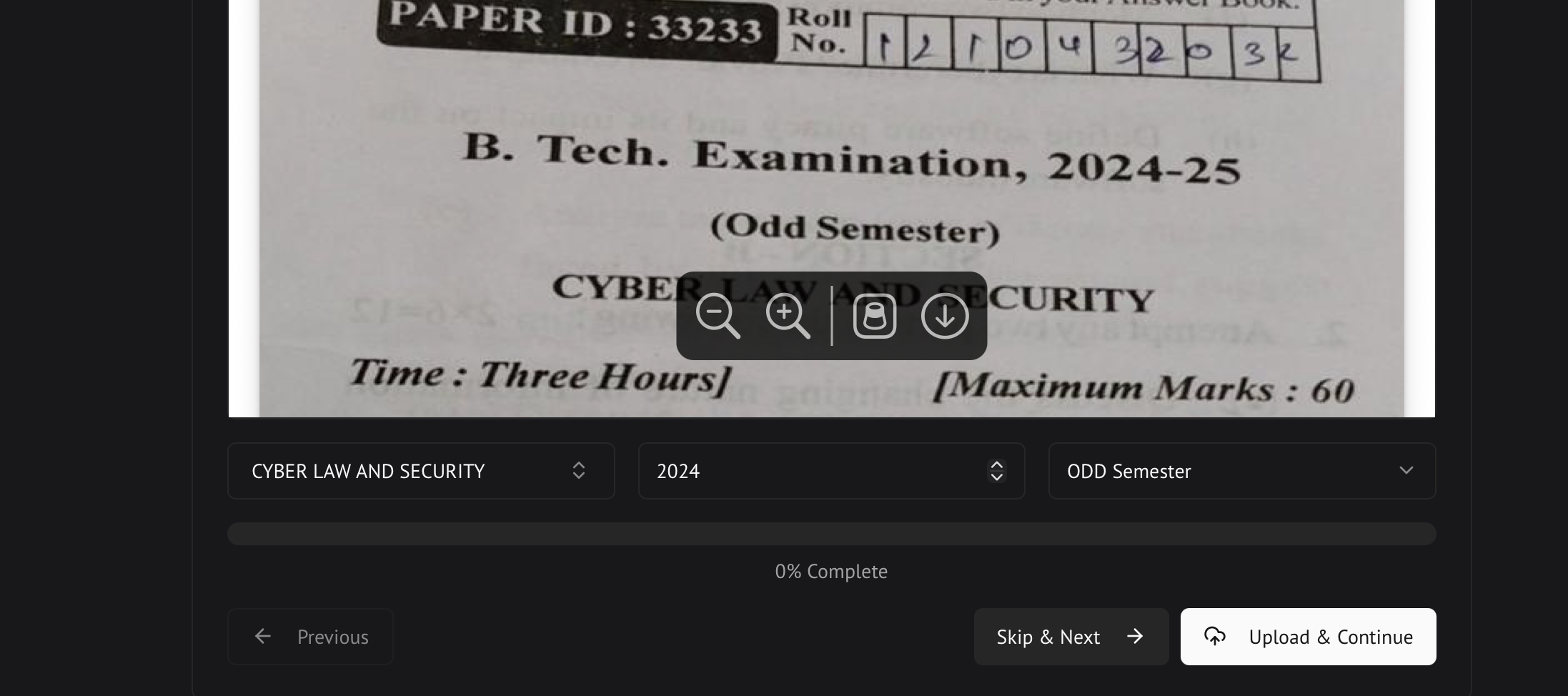
CYBER LAW AND SECURITY-2024-Odd Semester.pdf
It must be strictly like this
Valid Characters
Alphanumeric strings, spaces, and hyphens
Capitalization
Subject names should be in uppercase.
🖥️ Need to open the PDF?
Before renaming, open the paper to read the subject name and year. PDFgear is a free desktop viewer for this.
4. Uploading Workflow
1
Preparation: Extract your renamed paper PDFs from the ZIP file and keep them in a dedicated local folder.
3
Process: Click upload and continue. The system will begin processing files sequentially.
4
Monitoring: Keep an eye on the bottom-right corner for real-time success or error notifications.
5
Skip and Summary: If a PDF has issues, click Skip to move to the next one. Once all files are processed, you will see a comprehensive upload summary.
5. Storage and Organization
Once compressed and verified, the PDFs are moved to centralized storage before being indexed.
Ensure files are uploaded to their respective branch and semester folders to maintain organization.
7. Handwritten Notes
High-quality handwritten and typed notes curated by top students across BBDU and AKTU. Organised by subject, semester, and branch, all hosted on Google Drive.
All notes live here
BBD Notes - Google Drive
Browse subjects, semesters, and branches. Download directly or preview in your browser, no login required.
📂Notes are organized into folders by Branch → Semester → Subject. Navigate the Drive structure to find what you need.
📤Have great notes? Share them with the community through the Drive or the WhatsApp Community.